


Poseidonwin App
Poseidonwin App is the web-based platform that lets players open games on smartphones, tablets, and desktops through a regular browser, with zero native installation.
The platform runs as a progressive web application, so slots, live tables, account tools, and payments stay available wherever you sign in. Screens of every size receive the same lobby, adjusted automatically for touch or mouse control.
Below we explain how our platform performs on Android, iOS, Windows, and macOS, and what each device adds to your gaming experience.



Poseidonwin Mobile Casino
Poseidonwin mobile casino is a browser-based PWA platform, meaning players can play directly without installing anything from an app store.
Open our website on your phone, log in, and the full lobby appears within seconds. Online slots, live dealer tables, and crash games load in the same quality you see on a computer. Rounds start quickly because the platform compresses game assets for cellular networks, so a stable 4G connection already supports smooth live streams. Sound and animations respond to touch input right away. Bet controls stay just as fast, and the session continues from the exact point where you left it on another device.
Your balance and active bonuses stay synced across every device in real time. The same applies to your verification process status. Deposits and withdrawals run through the same wallet interface, and each transaction receives an instant confirmation on screen. When a setup question appears, our Support Team answers in live chat around the clock, directly inside the Poseidonwin casino interface.
The table compares mobile play with a desktop session, so every player can pick the format that fits the moment.
| Feature | Poseidonwin Mobile | Playing on PC |
| Access | Home-screen icon or mobile browser | Any desktop browser tab |
| Controls | Touch gestures sized for fingertips | Mouse and keyboard precision |
| Best use | Short sessions on the go | Long sessions on a large screen |
| Data use | Compressed assets reduce traffic | Standard page loading |
What Are the Pros and Cons of the Poseidonwin Mobile App?
The Poseidonwin app and the desktop site deliver the same content, and each format has practical points to weigh before a session. Poseidon Win players switch between them freely, since progress in tournaments, missions, and the loyalty program carries over instantly.
Pros:
- No installation required
- Works across all platforms
- Updates automatically
- Saves device storage
Cons:
- Requires stable internet connection
- Fewer offline features than native apps
Mobile Application for Android
Poseidonwin on Android requires Android 8.0 or higher and runs on most modern smartphones and tablets.
Open our website in Chrome, tap the browser menu, and select Add to Home Screen. The new icon launches the Poseidonwin app in full-screen mode, just like a native shortcut, and the Poseidonwin casino lobby opens directly from your home screen on every visit after that.
Every function of the desktop site, from deposits to tournaments, works inside the Android version. Bonus activation, tournament leaderboards, and wallet operations open through the same menu as on a computer, so experienced players find every familiar tool in its usual place. Push notifications about fresh promotions and tournament starts arrive once you allow them during the first launch, and players who prefer quiet sessions manage these alerts in the system settings at any time.
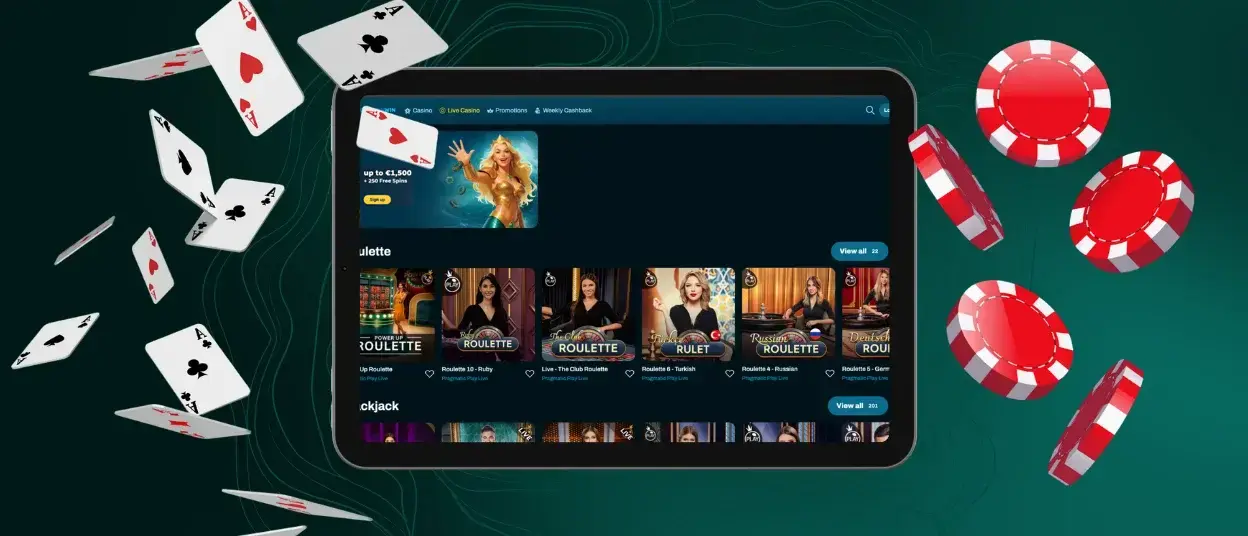
Poseidonwin on iPhone and iPad
Poseidonwin on iPhone and iPad is accessed through Safari and PWA installation, not through the App Store.
Open our site in Safari, tap the Share icon, and choose Add to Home Screen. The Poseidon Win app icon then sits next to your other applications and opens instantly. Add the shortcut once, and future visits skip the address bar completely, since Safari keeps your session ready for a fast login.
iOS users receive the same Poseidonwin casino lobby, wallet, and promotions as everyone else. The interface adapts to iPhone and iPad screens automatically, and Retina displays show game graphics in sharp detail. On tablets the layout widens, which gives live dealer tables extra room for statistics and chat. Portrait mode keeps slot reels centered, while landscape mode fits the full table view for card games.

Poseidon Win for Windows and macOS
Poseidonwin on Windows and macOS is accessed through a web browser such as Chrome, Safari, or Edge, with no download needed.
A large monitor keeps long sessions comfortable. Mouse control adds precision in table games and live rounds, and keyboard shortcuts speed up bet adjustments in supported titles. Everything happens inside the browser tab, so system resources stay free for other tasks.
Desktop players can also install the PWA from the address bar in Chrome or Edge, which pins the Poseidon Win casino lobby to the taskbar or dock for one-click access. The browser version suits players who follow several tables at once or study round statistics during a Poseidonwin casino session, and full-screen mode leaves only the game on display.
Device Compatibility
The Poseidonwin app covers phones, tablets, laptops, and desktop computers released within roughly the last seven years. Screens from 4.7 inches upward display the lobby comfortably, and the layout rearranges itself for portrait or landscape orientation on its own. Older devices run the platform as well, since the code stays light and avoids heavy background processes.
Current versions of Chrome, Safari, Firefox, and Edge are supported, so a routine browser update is the only maintenance step players ever face. Account data lives on our servers rather than on the device, which means switching to a new phone takes one Poseidon Win login and nothing more.
PWA Security Advantages
Web technology brings several practical safety benefits, and our application uses each of them in full:
- All connections are encrypted via HTTPS.
- Updates are delivered automatically, reducing outdated-software risk.
- No APK sideloading is required, lowering malware exposure.
- TLS protocols cover every login and payment session at Poseidon Win.
These measures work in the background and require zero configuration, so protection stays active from the very first visit. Combined with account tools such as two-factor authentication, they give every Poseidonwin casino session a reliable layer of defense.

FAQ
Are all games available in the Poseidonwin app?
Yes, the Poseidonwin app offers the same game library as the desktop site, with only minor exceptions for licensing reasons. Slots, live dealer rooms, and crash titles appear in identical versions on every platform with the same balance and settings, and search filters plus provider categories work the same way, which keeps navigation familiar on a small screen.
Do I need to install anything to use Poseidonwin on my Android phone?
No installation from a file is required. Adding the Poseidonwin app to your home screen through the browser is enough, and updates are delivered automatically in the background, so the Poseidonwin casino lobby always opens with the latest version ready to play.
Can I enable auto-login on the mobile site?
Yes, auto-login can be enabled in the mobile site’s account settings. Activate the option once, and the Poseidonwin casino lobby opens with your profile ready on your next visit. On a personal device this saves time and takes you straight to the games. On a shared device, a manual password keeps the account private and gives you full control over each session.


